


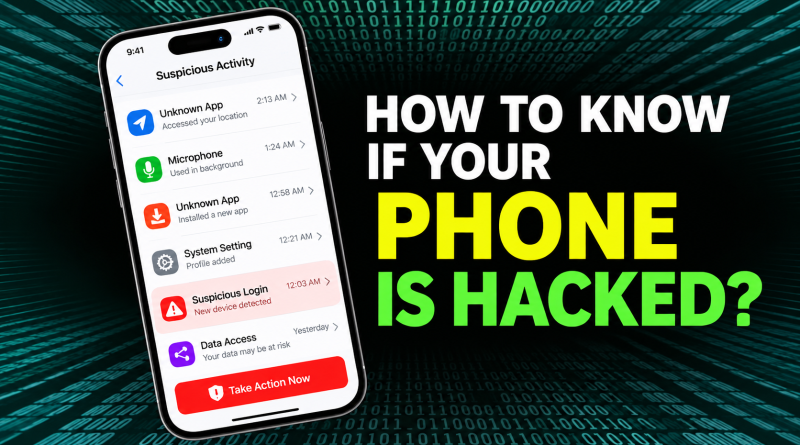
How to Know If Your Phone Is Hacked: 10 Warning Signs & What to Do
Your smartphone holds a lot of personal information. It may contain your photos, passwords, emails, banking apps, UPI apps, contacts, and private messages.
Therefore, if someone gains access to your phone, the risk can go far beyond the device itself.
A hacked or infected phone may behave strangely. For example, you may notice unknown apps, unwanted pop-ups, unusual account activity, or messages being sent without your knowledge. Google lists persistent pop-ups, unexpected redirects, poor device performance, and messages sent to contacts without your knowledge among possible signs of malware.
However, one unusual symptom does not automatically mean your phone has been hacked.
Here are the main warning signs to check.
1. Your Phone Suddenly Becomes Very Slow
A phone can slow down for many normal reasons. For example, low storage, old software, or too many apps can affect performance.
However, a sudden and unexplained drop in speed may need attention.
Malicious software can sometimes run in the background and use your phone’s resources. Google also lists unusual slowness and a device not working properly as possible signs of malware on Android.
So, check recently installed apps if the problem started suddenly.
2. Battery Drains Much Faster Than Before
Battery life naturally gets worse as a phone gets older.
Still, a sudden increase in battery use can sometimes point to an app running heavily in the background.
Go to your phone’s battery settings and check which apps are using the most power.
If an unknown app appears near the top, investigate it.
However, high battery use alone is not proof that your phone has been hacked.
3. You Find Apps You Didn’t Install
Unknown apps deserve attention.
First, check whether they came from your phone maker, mobile network, work profile, or another legitimate service.
If you still don’t recognise an app, check its permissions and installation source.
On Android, Google recommends uninstalling apps you don’t need, don’t trust, or didn’t obtain from the Play Store when dealing with suspected malware.
4. Strange Pop-Ups Keep Appearing
An occasional advertisement inside a free app is normal.
However, constant pop-ups appearing outside the app can be a warning sign.
Other suspicious browser behaviour can include:
- New tabs opening automatically
- Websites redirecting unexpectedly
- Your homepage changing
- Your search engine changing
- Unknown browser extensions appearing
Google identifies these as possible malware symptoms.
Avoid tapping suspicious “Your phone is infected” advertisements. Some of these alerts are themselves scams.
5. Your Mobile Data Usage Suddenly Increases
Some malicious apps communicate with external servers.
As a result, they may use mobile data in the background.
Check your phone’s data-usage settings and look for apps consuming unusually large amounts of data.
Again, don’t assume that high usage means hacking. Cloud backups, video apps, system updates, and social media can also use large amounts of data.
6. Messages Are Sent Without Your Knowledge
This is a more serious warning sign.
You may notice:
- SMS messages you didn’t send
- WhatsApp messages you don’t remember sending
- Emails sent from your account
- Social media messages sent automatically
Google specifically lists contacts receiving emails or messages that you didn’t send as a possible sign of malware or account compromise.
If this happens, check both your phone and your online accounts.
7. You Receive Unknown Login Alerts
Google, Apple, banks, social networks, and other services may alert you when someone signs in from a new device.
Don’t ignore an alert you don’t recognise.
Check:
- Device name
- Approximate location
- Time of login
- Account activity
Then remove unknown devices and change your password.
Google recommends changing your password immediately when you believe someone else may be signed into your Google Account.
8. Your Camera or Microphone Activates Unexpectedly
Modern phones show privacy indicators when apps access the camera or microphone.
Seeing the indicator while using a camera, calling, or voice-recording app is normal.
However, if it repeatedly appears when you’re doing nothing that requires the camera or microphone, check your app permissions.
Remove camera or microphone access from apps that don’t need it.
9. Your Phone Settings Change Without You Doing It
Unexpected changes can be another warning sign.
For example, you may notice changes to:
- Browser settings
- Security settings
- App permissions
- Accessibility permissions
- VPN settings
- Device administrator access
Accessibility access deserves special attention on Android because it can give apps powerful control over a device.
Google’s security systems specifically recognise apps that may misuse accessibility permissions, screen capture, overlays, or device control as potential risks.
10. Money Leaves Your Bank or UPI Account Unexpectedly
This requires immediate action.
If you see an unknown UPI or bank transaction, don’t spend hours trying to determine whether your phone is hacked first.
Contact your bank or payment provider immediately.
In India, financial cyber fraud can also be reported through the National Cyber Crime Reporting Portal and the official 1930 cybercrime helpline.
National Cyber Crime Reporting Portal
Acting quickly may improve the chances of stopping or tracing the transaction.
How to Check If an Android Phone Is Hacked
Android users can start with Google Play Protect.
Open:
Google Play Store → Profile icon → Play Protect
Run a scan and review any warnings.
Google Play Protect checks installed apps for potentially harmful behaviour and can warn, disable, or remove harmful apps.
Next, go to:
Settings → Security & privacy
Look for security alerts.
Google says supported Android devices may display “Device is at risk” when a security or privacy issue needs attention.
Also check for Android and Google Play system updates.
How to Check If an iPhone Is Hacked
iPhone users should first review their Apple Account.
Look for devices you don’t recognise and check whether important account information has changed.
Apple recommends changing your Apple Account password if you believe the account has been compromised.
You can also use Safety Check on supported iPhones.
Go to:
Settings → Privacy & Security → Safety Check
Safety Check lets you review connected devices, app permissions, information sharing, your passcode, and Apple Account security.
In addition, if an iPhone warns that an installed third-party app contains known malware, Apple recommends deleting that app.
What to Do If You Think Your Phone Is Hacked
Don’t panic and start deleting everything immediately.
Instead:
- Disconnect from suspicious Wi-Fi networks.
- Remove apps you don’t recognise or trust.
- Install available phone and security updates.
- Run the built-in security checks available on your device.
- Review app permissions.
- Check your Google or Apple Account for unknown devices.
- Change important passwords from a trusted device if account compromise is suspected.
- Enable two-factor authentication where available.
- Check banking and UPI transactions.
- Factory-reset the phone if serious malware symptoms continue after other steps.
Google recommends checking security updates, removing untrusted apps, reviewing account security, and considering a factory reset if malware symptoms continue.
Should You Factory Reset a Hacked Phone?
A factory reset removes your personal data and installed apps, so it should usually be a later step rather than the first response.
Before resetting, save important photos, contacts, and documents.
However, avoid blindly restoring suspicious apps after the reset.
Also change passwords for accounts that may have been exposed.
How to Protect Your Phone From Hackers
Prevention is easier than recovering from an attack.
Therefore:
- Keep your phone updated.
- Use a strong screen lock.
- Install apps from trusted sources.
- Avoid unknown APK files.
- Don’t click suspicious SMS or WhatsApp links.
- Never share OTPs or UPI PINs.
- Review app permissions.
- Use two-factor authentication.
- Keep Google Play Protect enabled on Android.
- Review devices connected to important accounts.
Android users can also consider Google’s additional security features. Google says Play Protect checks devices and apps for harmful behaviour, while newer Android versions provide additional theft and security protections.
Can Someone Hack Your Phone Just by Calling You?
Usually, simply receiving a normal phone call does not give another person control of your phone.
The greater risk comes when a scammer convinces you to:
- Install an app
- Share an OTP
- Share your UPI PIN
- Open a malicious link
- Give screen-sharing access
- Share account credentials
Therefore, be cautious when unknown callers claim to be from a bank, government office, courier company, or customer-support team.
Can Someone Hack Your Phone Through WhatsApp?
Receiving an ordinary WhatsApp message does not normally mean your phone has been hacked.
However, attackers may use WhatsApp to send phishing links, fake APK files, QR codes, or fraudulent job and investment offers.
So, don’t install files or enter passwords simply because a message came from a known contact. Their account could also have been compromised.
FAQs
How do I know if my phone has been hacked?
Possible warning signs include unknown apps, repeated pop-ups, unexplained account activity, messages you didn’t send, unusual settings changes, and suspicious login alerts. However, no single symptom proves that a phone is hacked.
What is the first thing I should do if my phone is hacked?
Check for unknown apps and account logins. Then update the device, review permissions, and change compromised account passwords from a trusted device.
Can hackers see my phone screen?
Malicious apps with powerful screen-sharing, accessibility, or related permissions may be able to view or interact with information on a device. Therefore, review these permissions carefully.
Does battery drain mean my phone is hacked?
Not necessarily. Old batteries, apps, background syncing, and software updates can also cause battery drain.
Can resetting my phone remove hackers?
A factory reset can remove many forms of unwanted software. However, you should also secure compromised online accounts and avoid reinstalling suspicious apps.
What should I do if money is stolen through UPI?
Contact your bank or payment provider immediately. In India, financial cyber fraud can also be reported through the National Cyber Crime Reporting Portal or by calling 1930.
Conclusion
Knowing how to tell if your phone is hacked can help you respond before a small security problem becomes more serious.
Unknown apps, strange pop-ups, messages you didn’t send, unexpected login alerts, unusual settings changes, and unauthorised financial transactions all deserve attention.
However, battery drain or a slow phone alone does not prove hacking.
Start by checking apps, permissions, security alerts, and connected accounts. Then update your device and remove anything suspicious.
Most importantly, if you notice an unknown UPI or banking transaction, contact your financial institution and report the fraud immediately rather than waiting to confirm whether the phone itself was compromised.