
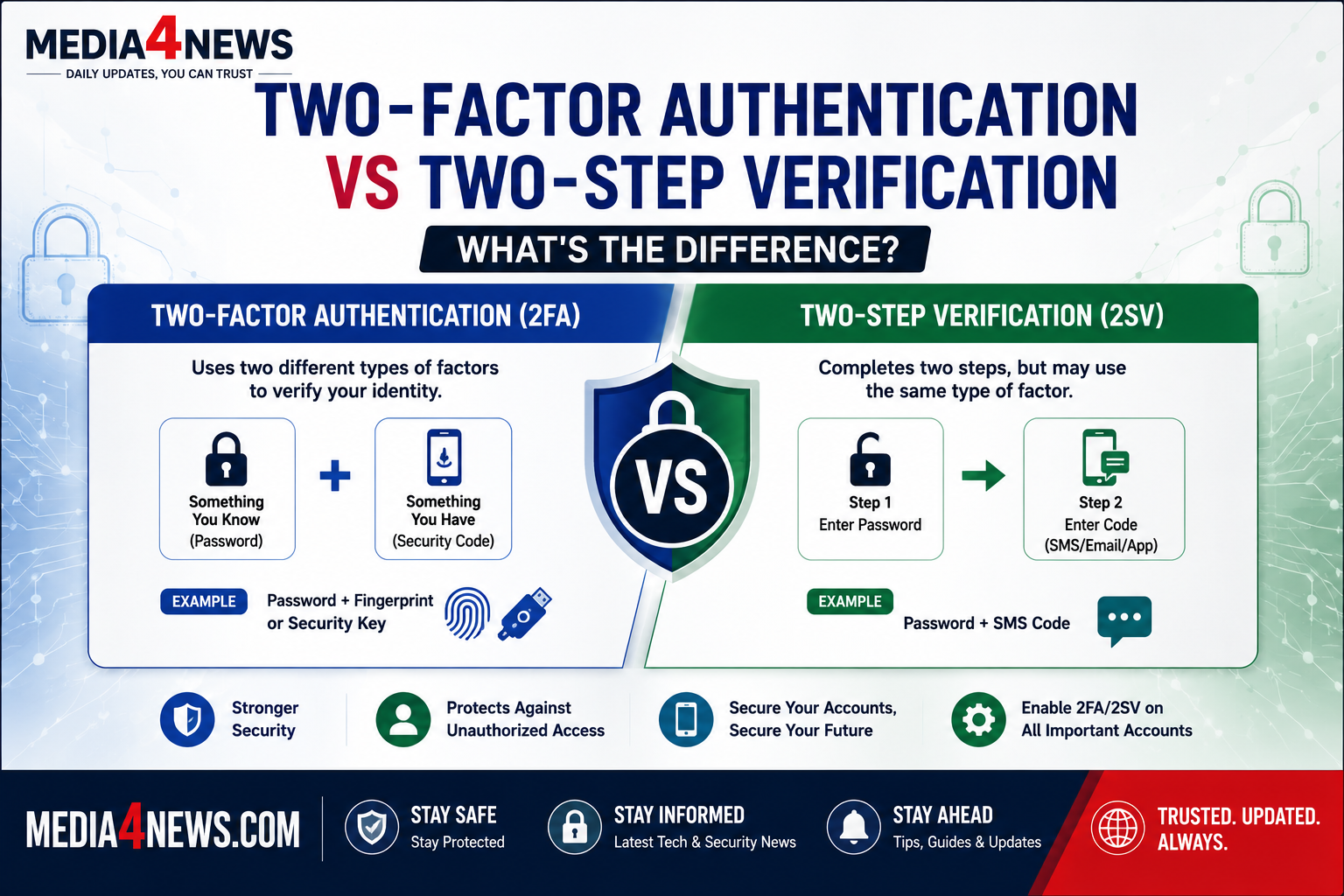
Two-Factor Authentication vs Two-Step Verification: What’s the Difference?
Online security has become more important than ever as cyber threats continue to rise. Whether you’re logging into your email, banking app, or social media account, you’ve probably come across terms like Two-Factor Authentication (2FA) and Two-Step Verification (2SV).
Many people use these terms interchangeably, but they are not exactly the same. Understanding the difference between two-factor authentication vs two-step verification can help you better protect your online accounts and personal information.
What Is Two-Step Verification?
Two-Step Verification (2SV) is a security process that requires users to complete two separate steps before accessing an account.
Typically, the process looks like this:
Step 1:
Enter your username and password.
Step 2:
Enter a verification code sent via:
- SMS
- Authentication app
- Push notification
The goal is to add an extra layer of protection beyond a password.
Example of Two-Step Verification
When you log into your Gmail account:
- Enter your password.
- Receive a code on your phone.
- Enter the code to complete login.
This is a common example of two-step verification.
What Is Two-Factor Authentication?
Two-Factor Authentication (2FA) is a more specific security method that requires two different types of authentication factors.
Security experts generally classify authentication into three categories:
Something You Know
- Password
- PIN
Something You Have
- Smartphone
- Security key
- Smart card
Something You Are
- Fingerprint
- Face recognition
- Retina scan
For authentication to qualify as true 2FA, it must use two different categories.
Example of Two-Factor Authentication
- Enter your password (something you know).
- Use a fingerprint scan (something you are).
Or:
- Enter your password.
- Insert a physical security key (something you have).
This is considered genuine two-factor authentication.
Two-Factor Authentication vs Two-Step Verification
| Feature | Two-Step Verification | Two-Factor Authentication |
|---|---|---|
| Requires two steps | Yes | Yes |
| Uses two different factor types | Not always | Yes |
| Security level | Good | Higher |
| SMS codes allowed | Yes | Sometimes |
| Biometrics supported | Optional | Common |
| Physical security key support | Optional | Common |
Why the Difference Matters
Many websites advertise “2FA” even when they actually use two-step verification.
For example:
Password + SMS Code
Both factors may rely on your phone number and are sometimes considered less secure because SMS messages can be intercepted.
Password + Security Key
This uses two different factors and offers significantly stronger protection.
Cybersecurity experts generally recommend using:
- Authenticator apps
- Hardware security keys
- Biometrics
instead of relying solely on SMS verification.
Advantages of Two-Step Verification
Easy to Use
Most users can quickly set it up using their mobile number.
Better Than Passwords Alone
Even if someone steals your password, they still need the second verification step.
Widely Available
Most major platforms support two-step verification.
Advantages of Two-Factor Authentication
Stronger Security
True 2FA is harder for attackers to bypass.
Protection Against Phishing
Security keys can help prevent phishing attacks.
Better for Sensitive Accounts
Banking, healthcare, and business accounts often benefit from stronger authentication methods.
Which One Should You Use?
For maximum security:
Best Option
- Password + Security Key
- Password + Fingerprint
Good Option
- Password + Authenticator App
Less Secure Option
- Password + SMS Code
While SMS verification is still better than using only a password, more secure alternatives are recommended whenever possible.
Popular Services That Support 2FA
Many major platforms support advanced authentication options, including:
- Microsoft
- Apple
- Amazon
- GitHub
- Banking applications
Users should enable these security features whenever available.
Common Mistakes to Avoid
When setting up account security, avoid:
- Reusing passwords
- Sharing verification codes
- Ignoring backup codes
- Relying only on SMS authentication
- Skipping security updates
These mistakes can weaken even the best security systems.
Final Thoughts
Understanding two-factor authentication vs two-step verification is essential for improving online security. While both methods add an extra layer of protection, two-factor authentication generally provides stronger security because it uses two different types of verification factors.
As cyber threats continue to evolve, enabling 2FA or 2SV on your important accounts can significantly reduce the risk of unauthorized access and help keep your personal data safe.